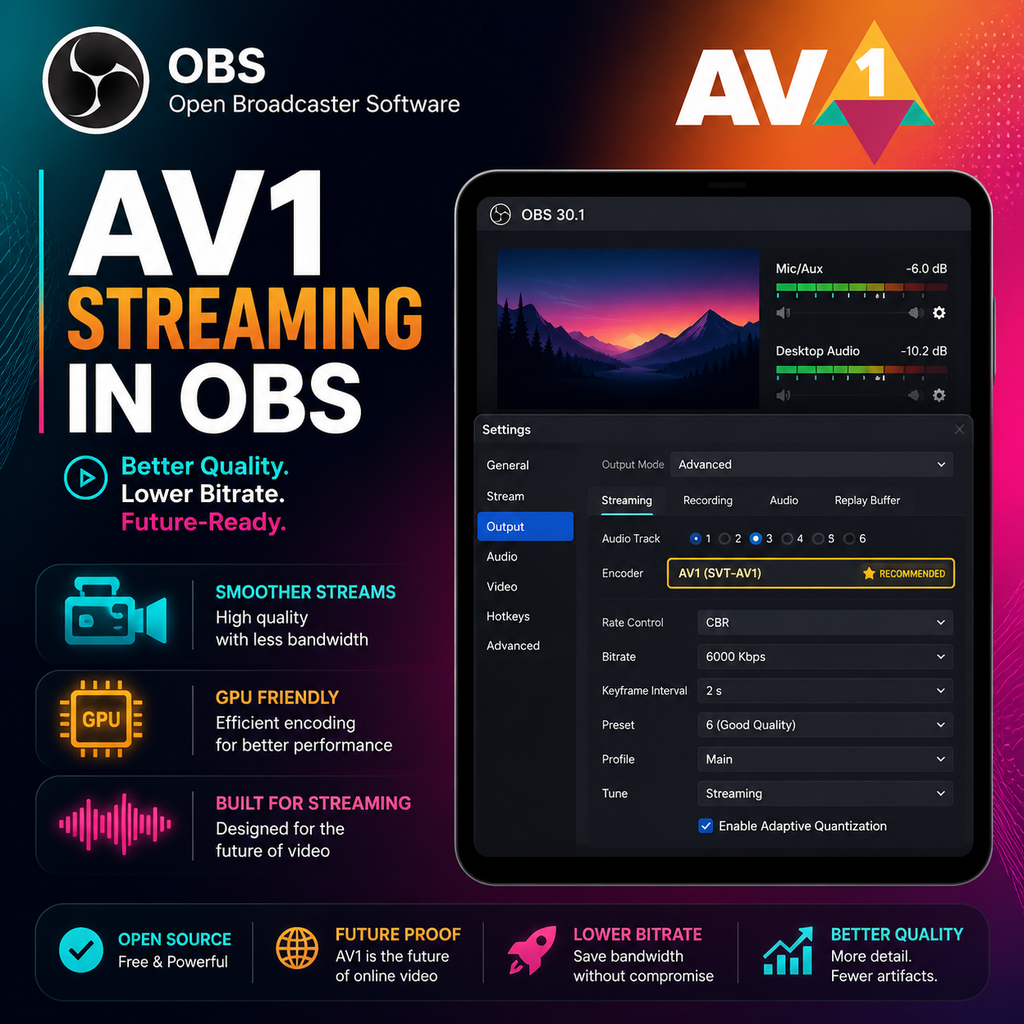
AV1 Streaming Arriva su OBS per Output di Qualità Superiore su GeForce, Arc e Radeon
Codifica AV1 in OBS: Cosa Devi Sapere
L'ultimo aggiornamento di Open Broadcaster Software (OBS) introduce finalmente il supporto per lo streaming live nel codec AV1 ad alta efficienza. Ciò significa che i creatori di contenuti possono ora offrire video di qualità superiore a bitrate inferiori, ma ci sono requisiti hardware e di piattaforma specifici da considerare.
Requisiti Hardware per lo Streaming AV1
Per sfruttare la codifica AV1 in OBS, avrai bisogno di una scheda grafica compatibile. Attualmente, questo include le NVIDIA GeForce RTX serie 40 (es. RTX 4060, 4070, 4080), le GPU Intel Arc e le AMD Radeon RX serie 7000. Queste schede dispongono di encoder hardware dedicati che rendono la codifica AV1 efficiente senza sovraccaricare il sistema.
Se stai usando una GPU più vecchia, non potrai selezionare AV1 in OBS. Tuttavia, la codifica software con la CPU è possibile per la registrazione, ma non è consigliata per lo streaming live a causa delle richieste di prestazioni.
Supporto delle Piattaforme: Dove Funziona lo Streaming AV1
Attualmente, YouTube offre il miglior supporto per lo streaming live AV1. Twitch si basa ancora su H.264, quindi lo streaming AV1 è principalmente per YouTube. Altre piattaforme potrebbero adottare AV1 in futuro, ma per ora assicurati che la tua destinazione di streaming sia compatibile.
Per utilizzare AV1 su YouTube, configura il tuo stream come RTMPS (RTMP migliorato) nelle impostazioni di OBS. Questo protocollo consente l'ingest AV1. Se usi HLS, non otterrai l'opzione AV1.
Come Configurare lo Streaming AV1 in OBS
Guida Passo Passo
- Aggiorna OBS alla versione 29.1.1 o successiva.
- Vai su Impostazioni > Stream e seleziona YouTube come servizio, utilizzando l'opzione RTMPS.
- Naviga su Output > Streaming e imposta la Modalità di Output su Avanzata.
- Sotto Video Encoder, seleziona NVIDIA NVENC AV1 (o l'equivalente per la tua GPU).
- Regola il bitrate: per lo streaming a 1080p, inizia con 8.000-10.000 kbps. Molti creatori consigliano di upscalare a 1440p per una migliore qualità su YouTube, utilizzando un bitrate intorno a 16.000 kbps.
- Imposta il preset su P7 (Più Lento) per la migliore qualità, sintonizzazione su Alta Qualità e abilita la codifica Two-Pass.
Registrazione con AV1
Per registrare in AV1, vai su Output > Registrazione e scegli l'encoder AV1. Usa il contenitore .mkv per sicurezza. AV1 offre un'ottima compressione, quindi un bitrate di 20.000 kbps è sufficiente anche per il 4K.
Ottimizzazione di Bitrate e Qualità
L'efficienza di AV1 significa che puoi ottenere una qualità simile con bitrate inferiori del 40-50% rispetto a H.264. Per lo streaming a 1080p, un bitrate di 6.000-8.000 kbps è spesso sufficiente, ma YouTube consiglia bitrate più alti per il 1440p (circa 16.000 kbps). Esegui sempre la procedura guidata di configurazione automatica in OBS (Strumenti > Configurazione Automatica) per ottenere un suggerimento di base per il tuo hardware e la velocità di Internet.
Se la tua larghezza di banda in upload è limitata (es. 12 Mbps), AV1 è un punto di svola: ti permette di ottenere una qualità che altrimenti sarebbe impossibile con H.264. Ricorda che Twitch limita il bitrate a 6.000 kbps, quindi per quella piattaforma rimarrai con H.264 per ora.
Un consiglio da professionisti: considera di fare streaming a 1440p anche se giochi a 1080p. L'encoder 1080p di YouTube è meno efficiente, quindi upscalare a 1440p può effettivamente migliorare la qualità finale. Usa la scheda Video per impostare la risoluzione di base e ridimensionare l'output.
Risoluzione dei Problemi e Problemi Comuni
Se le opzioni AV1 sono disattivate, ricontrolla la compatibilità della tua GPU e la versione di OBS. Assicurati di aver impostato il servizio di streaming su YouTube con RTMPS. Per la registrazione, usa un lettore che supporti la riproduzione AV1, come VLC. Inoltre, monitora l'uso della GPU: sebbene accelerato via hardware, AV1 può comunque essere impegnativo. Tieni d'occhio le prestazioni del sistema durante lo streaming.
Per lo streaming locale verso un Android TV o altro dispositivo, puoi usare OBS con configurazioni RTSP o WebRTC personalizzate, ma tieni presente che molti dispositivi consumer mancano del supporto del decoder AV1. Potrebbe essere necessario utilizzare FFmpeg o un ricevitore dedicato.
Man mano che più piattaforme adotteranno AV1 e i prezzi delle GPU diventeranno più accessibili, lo streaming AV1 diventerà probabilmente il nuovo standard. Per ora, è uno strumento potente per chi ha l'hardware giusto, offrendo una qualità straordinaria con requisiti di larghezza di banda inferiori.