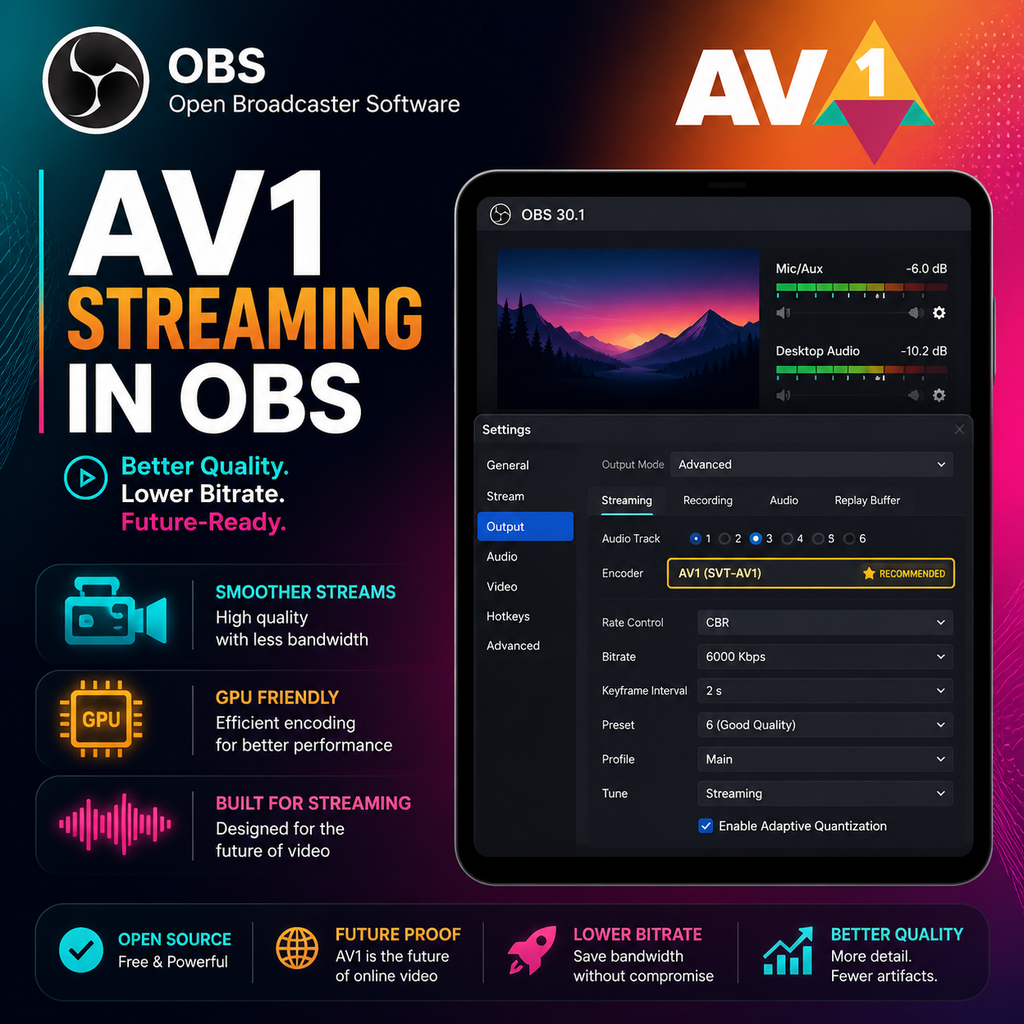
AV1 Streaming Llega a OBS para Mayor Calidad en GeForce, Arc y Radeon
Codificación AV1 en OBS: Lo que Necesitas Saber
La última actualización de Open Broadcaster Software (OBS) finalmente incorpora soporte para transmisión en vivo con el códec de alta eficiencia AV1. Esto significa que los creadores de contenido ahora pueden ofrecer video de mayor calidad a bitrates más bajos, pero hay requisitos específicos de hardware y plataforma a considerar.
Requisitos de Hardware para Transmisión AV1
Para aprovechar la codificación AV1 en OBS, necesitarás una tarjeta gráfica compatible. Actualmente, esto incluye las NVIDIA GeForce RTX serie 40 (ej. RTX 4060, 4070, 4080), las GPU Intel Arc y las AMD Radeon RX serie 7000. Estas tarjetas cuentan con codificadores de hardware dedicados que hacen eficiente la codificación AV1 sin sobrecargar tu sistema.
Si usas una GPU más antigua, no podrás seleccionar AV1 en OBS. Sin embargo, la codificación por software con la CPU es posible para grabación, pero no se recomienda para transmisión en vivo debido a las demandas de rendimiento.
Soporte de Plataforma: Dónde Funciona la Transmisión AV1
Actualmente, YouTube ofrece el mejor soporte para transmisión en vivo AV1. Twitch todavía depende de H.264, por lo que la transmisión AV1 es principalmente para YouTube. Otras plataformas pueden adoptar AV1 en el futuro, pero por ahora, asegúrate de que tu destino de transmisión sea compatible.
Para usar AV1 en YouTube, configura tu transmisión como RTMPS (RTMP mejorado) en la configuración de OBS. Este protocolo permite la ingesta AV1. Si usas HLS, no obtendrás la opción AV1.
Cómo Configurar la Transmisión AV1 en OBS
Guía Paso a Paso
- Actualiza OBS a la versión 29.1.1 o posterior.
- Ve a Configuración > Transmisión y selecciona YouTube como tu servicio, usando la opción RTMPS.
- Navega a Salida > Transmisión y establece el Modo de Salida en Avanzado.
- En Codificador de Video, selecciona NVIDIA NVENC AV1 (o el equivalente para tu GPU).
- Ajusta tu bitrate: Para transmisión en 1080p, comienza con 8,000-10,000 kbps. Muchos creadores recomiendan escalar a 1440p para mejor calidad en YouTube, usando un bitrate alrededor de 16,000 kbps.
- Establece tu preset en P7 (Más lento) para la mejor calidad, sintonización en Alta Calidad y habilita la codificación de Dos Pasos.
Grabación con AV1
Para grabar en AV1, ve a Salida > Grabación y elige el codificador AV1. Usa el contenedor .mkv por seguridad. AV1 ofrece una compresión excelente, por lo que un bitrate de 20,000 kbps es suficiente incluso para 4K.
Optimización de Bitrate y Calidad
La eficiencia de AV1 significa que puedes lograr una calidad similar con bitrates 40-50% más bajos en comparación con H.264. Para transmisión en 1080p, un bitrate de 6,000-8,000 kbps suele ser suficiente, pero YouTube recomienda más para 1440p (alrededor de 16,000 kbps). Siempre ejecuta el Asistente de Configuración Automática en OBS (Herramientas > Asistente de Configuración Automática) para obtener una sugerencia base para tu hardware y velocidad de internet.
Si tu ancho de banda de subida es limitado (ej. 12 Mbps), AV1 es un cambio radical: te permite ofrecer calidad que de otro modo sería imposible con H.264. Recuerda que Twitch limita el bitrate a 6,000 kbps, por lo que para esa plataforma, te quedarás con H.264 por ahora.
Un consejo profesional: considera transmitir a 1440p incluso si juegas en 1080p. El codificador 1080p de YouTube es menos eficiente, por lo que escalar a 1440p puede mejorar la calidad final. Usa la pestaña Video para establecer tu resolución base y reescalar la salida.
Solución de Problemas y Problemas Comunes
Si las opciones AV1 aparecen atenuadas, verifica la compatibilidad de tu GPU y la versión de OBS. Asegúrate de haber configurado el servicio de transmisión en YouTube con RTMPS. Para grabación, usa un reproductor que admita reproducción AV1, como VLC. También, monitorea el uso de la GPU—aunque acelerado por hardware, AV1 puede ser exigente. Mantén un ojo en el rendimiento de tu sistema mientras transmites.
Para transmisión local a un Android TV u otro dispositivo, puedes usar OBS con configuraciones personalizadas de RTSP o WebRTC, pero ten en cuenta que muchos dispositivos de consumo carecen de soporte para decodificador AV1. Puede ser necesario usar FFmpeg o un receptor dedicado.
A medida que más plataformas adopten AV1 y los precios de las GPU sean más accesibles, la transmisión AV1 probablemente se convertirá en el nuevo estándar. Por ahora, es una herramienta poderosa para aquellos con el hardware adecuado, ofreciendo una calidad impresionante con menores requisitos de ancho de banda.