Nintendo a cloné Discord pour la Switch 2
GameChat : l'expérience Discord intégrée de Nintendo
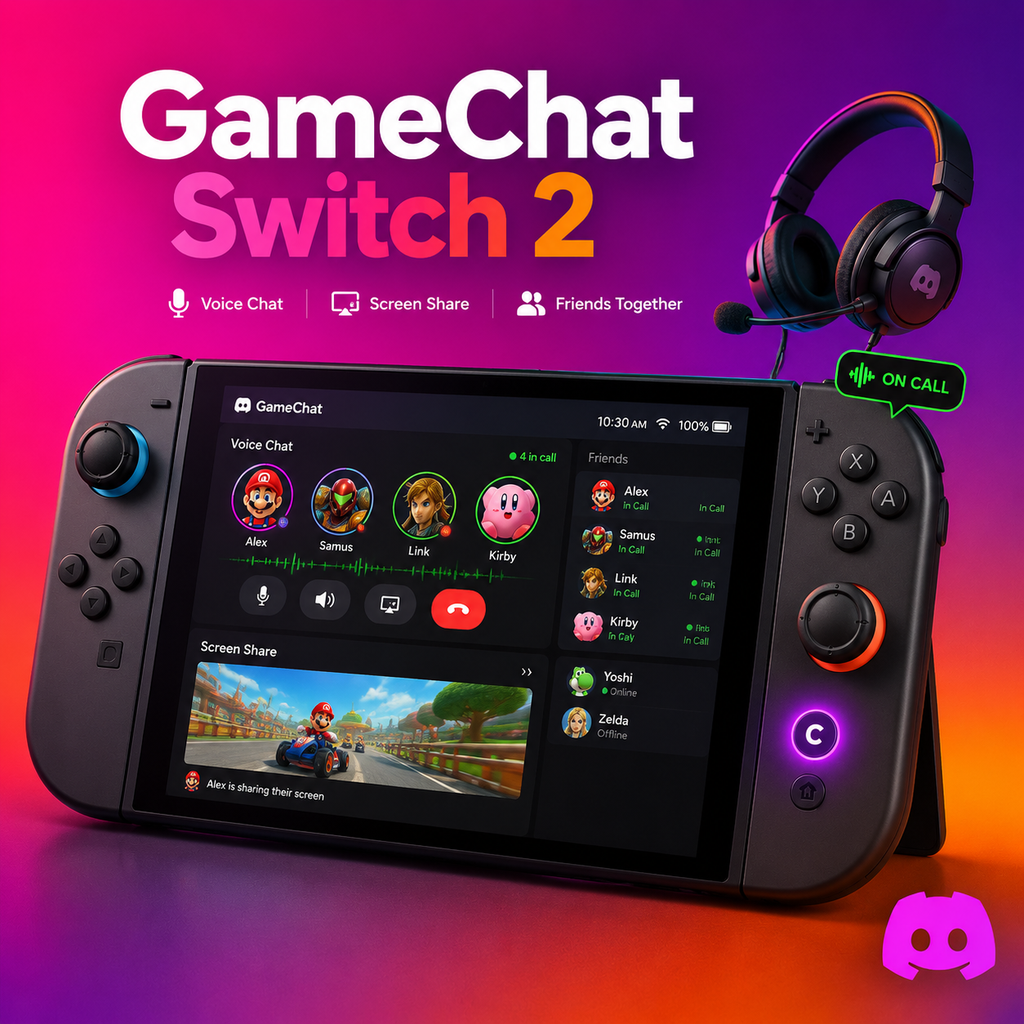
Nintendo a discrètement résolu l'un des plus gros problèmes des propriétaires de Switch : le chat vocal sans accroc. Avec la Switch 2, ils ont introduit GameChat, une fonctionnalité qui ressemble à une copie conforme de Discord mais qui fonctionne nativement sur la console. Accessible via le mystérieux bouton C de la nouvelle manette, GameChat intègre la communication vocale directement dans le système, sans avoir besoin d'applications smartphone encombrantes ou de casques externes. C'est une mise à niveau attendue depuis longtemps qui fait enfin entrer l'expérience multijoueur de Nintendo dans l'ère moderne.
GameChat utilise le microphone intégré de la Switch 2, qui inclut une technologie de filtrage du bruit ambiant pour minimiser les sons environnants. Cela signifie que vous pouvez discuter clairement même dans des environnements bruyants—fini les amis qui entendent votre télévision ou les conversations familiales. La fonctionnalité est conçue pour être aussi fluide que possible, vous permettant de rejoindre un appel vocal avec des amis sans aucune configuration supplémentaire.
Partage d'écran et multijoueur flexible
Au-delà de la voix, GameChat emprunte une autre fonctionnalité clé de Discord : le partage d'écran. Vous pouvez diffuser votre jeu directement à vos amis dans un appel, et voici le plus intéressant : les participants n'ont pas besoin de jouer au même jeu. Cela ouvre des scénarios où une personne explore Zelda pendant qu'une autre fait la course dans Mario Kart, tout en discutant et en regardant les écrans des autres. C'est essentiellement la même flexibilité qui rend les salons vocaux de Discord si populaires.
De plus, GameChat prend en charge les appels vidéo, vous permettant de voir les visages de vos amis pendant que vous jouez. Cette fonctionnalité est particulièrement bienvenue pour les sessions multijoueurs en ligne ou simplement pour passer du temps ensemble. L'intégration est si fluide que vous vous demanderez pourquoi elle n'était pas là dès le début.
Pourquoi Nintendo a abandonné l'application téléphone
Vous vous souvenez de l'application Nintendo Switch Online ? C'était un contournement encombrant qui nécessitait de placer votre téléphone à côté de votre Switch et d'utiliser des écouteurs avec un adaptateur. Elle a été universellement critiquée. Avec GameChat, Nintendo a enfin reconnu que les joueurs veulent une solution unifiée. En intégrant des fonctionnalités de type Discord dans la console elle-même, ils ont supprimé le plus grand obstacle au chat vocal sur Switch.
Cette décision positionne également la Switch 2 comme un appareil plus social. Nintendo a toujours mis l'accent sur le multijoueur local, mais la communication en ligne était un point faible. GameChat comble cette lacune, facilitant la coordination dans des jeux comme Splatoon 3 ou Super Smash Bros. C'est une réponse claire à ce que les joueurs demandent depuis des années.
Comment accéder à GameChat
Pour commencer avec GameChat, c'est simple. Appuyez sur le bouton C de votre manette Switch 2 pour ouvrir le menu GameChat. De là, vous pouvez inviter des amis, rejoindre des appels actifs ou lancer un partage d'écran. L'interface est propre et intuitive, similaire à la conception conviviale de Discord. Vous n'avez besoin d'aucun compte séparé—cela fonctionne avec votre abonnement Nintendo Switch Online.
Il existe également des contrôles parentaux pour gérer avec qui vos enfants peuvent discuter. La fonctionnalité n'est disponible que lorsque la console est en mode portable ou sur table, donc vous aurez besoin d'un casque si vous jouez sur un téléviseur. Néanmoins, c'est un énorme pas en avant pour l'écosystème en ligne de Nintendo.
Les solutions de contournement non officielles de Discord
Avant GameChat, les propriétaires de Switch devaient compter sur des méthodes non officielles pour obtenir Discord sur leur console. Par exemple, une astuce de navigateur caché permettait aux utilisateurs d'accéder à la version web de Discord en modifiant les paramètres DNS. Cela impliquait de naviguer dans les paramètres Internet, de passer le DNS en manuel et de saisir une adresse spécifique. Après la connexion, vous pouviez vous connecter à Discord via le navigateur et l'utiliser comme n'importe quelle application web.
Une autre option était le client homebrew NXCord, une application tierce qui vous permettait de vous connecter directement à Discord sur Switch. Cependant, cela nécessitait de modifier votre console et violait les conditions d'utilisation de Discord. Bien que ces solutions de contournement soient fonctionnelles, elles étaient lourdes et peu sécurisées. GameChat les rend obsolètes en offrant une solution intégrée et sécurisée.
Pour diffuser le gameplay de la Switch vers Discord sur d'autres plateformes, les utilisateurs se tournaient souvent vers des cartes de capture et OBS Studio. Cette méthode nécessitait un ordinateur séparé et du matériel externe, mais permettait un streaming de haute qualité. GameChat ne remplace pas cela, mais pour le chat vocal de base et le partage d'écran au sein de l'écosystème Switch 2, c'est plus que suffisant.
Ce que cela signifie pour le jeu en ligne
L'intégration de GameChat signale une nouvelle ère pour les services en ligne de Nintendo. En imitant les fonctionnalités principales de Discord, Nintendo reconnaît que les joueurs veulent une communication persistante et sans friction. Cela pourrait conduire à une meilleure coordination d'équipe dans les jeux compétitifs et à des interactions sociales plus organiques dans les jeux occasionnels. Cela établit également un précédent pour les futures consoles—attendez-vous à ce que le chat intégré devienne une fonctionnalité standard.
L'innovation ici ne réside pas seulement dans le clonage de Discord ; elle consiste à l'intégrer de manière transparente dans l'expérience de jeu. Vous n'avez pas besoin de changer d'appareil ou de gérer des applications externes. La console elle-même devient le hub à la fois pour le jeu et la communication, rendant chaque session plus connectée.