Tech (non)support: Scammers pose as Meta in Facebook account grab ploy
When "Support" Isn't Support: The Rise of Meta Impersonation Scams
A staggering 3,200 fake Facebook profiles have been identified in a sprawling phishing campaign where scammers impersonate Meta support staff. These aren't sloppy imitations – they're sophisticated fakes designed to trick you into handing over your login credentials. The goal? Full account takeover. Once inside, scammers can lock you out, spam your contacts, or hold your account hostage. And the worst part? They're exploiting the one thing you're supposed to trust: the platform itself.
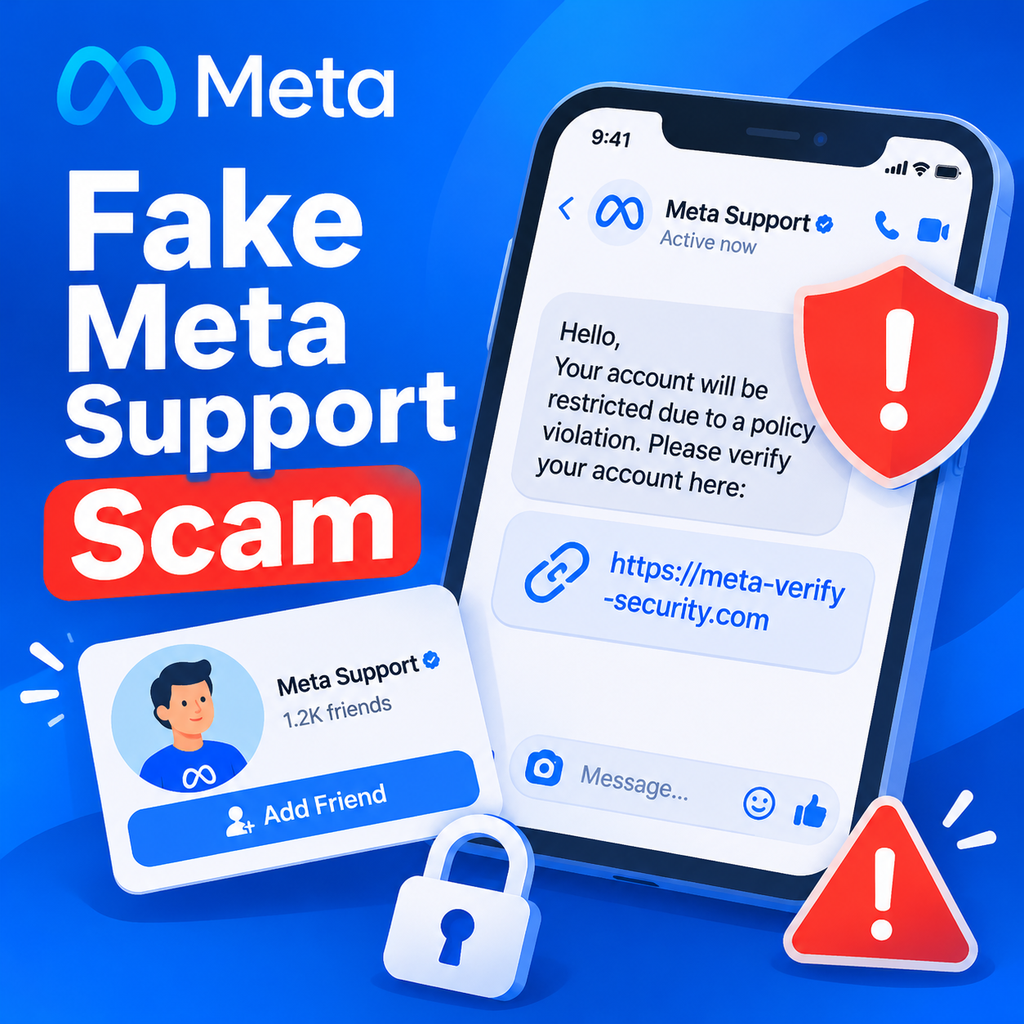
Group-IB's Digital Risk Protection team uncovered this operation, revealing how scammers use fake profiles to initiate conversations with unsuspecting users. They pose as Meta support, claiming there's an issue with your account. To "fix" it, they send a link – which leads to a credential-phishing page. It's a classic bait-and-switch, but dressed in the guise of official customer service.
Inside the Scam: How Fake Support Profiles Operate
The mechanics are simple yet devastating. Scammers create profiles with names like "Meta Support" or "Facebook Help Center" and use official-looking logos. They then message users directly, often through Messenger, and claim your account has been flagged for suspicious activity. To resolve it, you're told to click a link. That link goes to a fake login page that looks nearly identical to Facebook's. Once you enter your credentials, they're in. And because these conversations start on the platform, they feel more legitimate than a random email. The scammers even use urgency – "Your account will be deleted if you don't act now" – to short-circuit your critical thinking.
Why Facebook Is the Perfect Attack Surface
With billions of users, Facebook offers scammers a massive pool of potential victims. But more importantly, our reliance on social media for business and personal connections makes account control critical. Losing access can disrupt communication, harm business relationships, and expose personal data. Scammers know this, and that's why they target Facebook specifically. They also exploit the trust users place in Meta's support system. After all, if someone messages you claiming to be from Meta, you might not question it – especially if you've recently had account issues.
Spotting the Fakes: Red Flags to Watch For
How can you tell if a support message is genuine? First, Meta will never ask for your password or send unsolicited links to login. Any message asking for credentials is a scam – no exceptions. Second, look at the sender's profile. Fake accounts often have limited history, generic names, or misspellings. Check the email address if the message came via email – official Meta correspondence only comes from domains like fb.com, facebook.com, facebookmail.com, and meta.com. Third, watch for urgency and threats. Scammers want you to act fast without thinking. Finally, be wary of unsolicited messages, even if they appear to come from someone you know – accounts can be compromised. When in doubt, go directly to Facebook's official help center and check your account status there.
The Telltale Signs of a Phishing Attack
If you've already fallen for a scam, you might notice unusual activity on your account. Perhaps you can't log in, or friends report receiving strange messages from you. You might see posts you didn't create or pages you didn't like. Other accounts – email, banking – might be compromised too if you reused passwords. These are all warning signs that your account has been phished.
Protecting Your Account: Practical Steps
Defense starts with education and proactive measures. First, enable two-factor authentication (2FA) – it adds a critical layer of security by requiring a code in addition to your password. Second, use unique, strong passwords for your Facebook account and never reuse them. Third, review your messages carefully: check the sender's email address and be suspicious of any unsolicited link. If you receive a message about account issues, don't click anything. Instead, go to Business Support Home or the Facebook Help Center directly. Fourth, regularly review your account settings for unauthorized logins and remove devices you don't recognize. Finally, educate everyone who has access to your account – colleagues, family – about these risks.
What to Do if You've Been Hacked
If you suspect you've been phished, act fast. Reset your password immediately. Log out of all devices and remove any unauthorized ones. Check your activity log for suspicious actions, delete any posts you didn't make, and review your recent emails from Facebook for security alerts. For business accounts, open a case with Meta support through official channels. And if you've shared financial information, contact your bank. Reporting the scam to Meta helps them take down fake profiles and prevent others from falling victim.
The Bigger Picture: The Importance of Skepticism
This campaign highlights a troubling trend: scammers are getting better at impersonating trusted brands. They exploit our desire to resolve problems quickly and our tendency to trust official-looking messages. As AI and automation tools improve, these fakes will become even harder to spot. The best defense is a healthy dose of skepticism. Slow down. Verify before you click. And remember: real support never rushes you or asks for your password. By staying informed and cautious, you can keep your account – and your digital identity – safe.
Final Thought: Trust, but Verify
In a world where anyone can create a convincing fake profile, trust must be earned. Meta will never contact you out of the blue asking for credentials. If you receive such a message, report it and delete it. Your account security is in your hands – and a little paranoia can go a long way. Stay safe out there.