Instagram Notatki: Czym są i jak ich używać w 2026
Czym są Notatki na Instagramie?
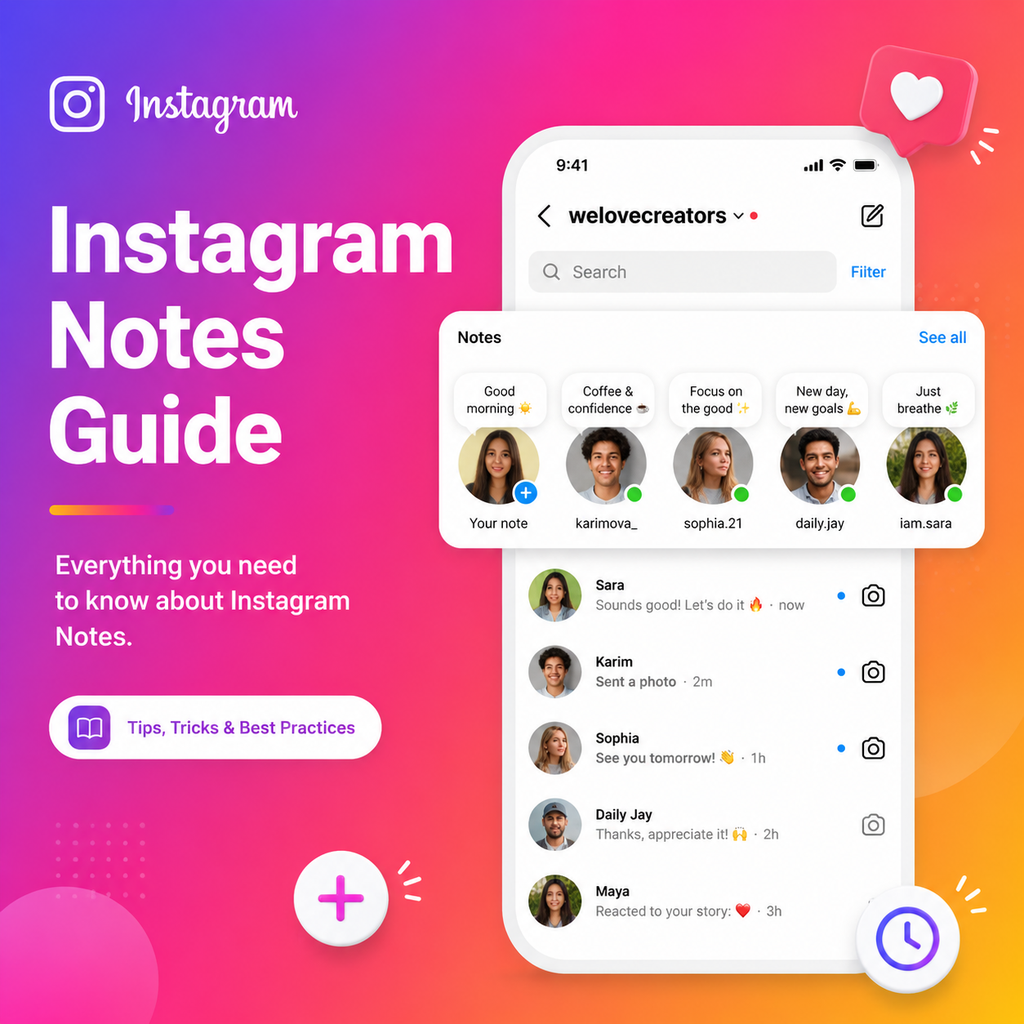
Notatki na Instagramie to krótkie, 60-znakowe wiadomości, które pojawiają się na górze skrzynki odbiorczej DM Twoich obserwujących i znikają po 24 godzinach. Pomyśl o nich jako o najlżejszym sposobie komunikacji – brak powiadomień push, brak wysiłku produkcyjnego, po prostu szybka myśl lub ogłoszenie. Możesz udostępnić pojedynczy emoji, krótkie zdanie, 2-sekundowe zapętlone wideo lub 30-sekundowy klip muzyczny z biblioteki Instagrama. Notatki są widoczne tylko dla wzajemnych obserwujących lub listy Bliskich znajomych, a za każdym razem wybierasz odbiorców. W przeciwieństwie do Relacji, nie ma listy widzów – możesz zobaczyć tylko, kto polubił lub odpowiedział.
Jak utworzyć Notatkę na Instagramie
Utworzenie Notatki zajmuje około 30 sekund. Oto jak to zrobić:
- Otwórz Instagram i dotknij ikony Messengera (prawy górny róg).
- W pasku Notatek pod paskiem wyszukiwania dotknij swojego zdjęcia profilowego, gdzie widnieje „+ Zostaw notatkę”.
- Wpisz swoją wiadomość (do 60 znaków), dodaj emoji, wzmianki @, muzykę lub 2-sekundowe wideo.
- Wybierz odbiorców: „Obserwujący, których obserwujesz” lub „Bliscy znajomi”.
- Dotknij Udostępnij.
Twoja Notatka pojawia się natychmiast na górze skrzynki odbiorczej. Aby ją edytować lub usunąć, dotknij swojego zdjęcia profilowego w pasku Notatek i wybierz „Zostaw nową notatkę” lub „Usuń notatkę”.
Gdzie pojawiają się Notatki na Instagramie?
Notatki znajdują się głównie w skrzynce DM, ale Instagram rozszerzył je na posty i Reels. Możesz zostawić Notatkę bezpośrednio na opublikowanym poście lub Reelu – widoczną tylko dla Twoich wzajemnych obserwujących lub Bliskich znajomych. Te Notatki pojawiają się jako mały dymek tekstowy na treści i trwają trzy dni zamiast 24 godzin. Aby dodać taką, dotknij ikony Udostępnij na dowolnym poście lub Reelu, wybierz „Dodaj notatkę”, wpisz wiadomość, wybierz odbiorców i dotknij Udostępnij.
Prywatność i widoczność Notatek
Notatki na Instagramie nie są publiczne. Pojawiają się tylko osobom, które Cię obserwują i które Ty obserwujesz (wzajemni obserwujący) lub Twojej liście Bliskich znajomych. Nie możesz zobaczyć, kto oglądał Twoją Notatkę – tylko kto polubił lub odpowiedział. Odpowiedzi przychodzą jako bezpośrednie wiadomości do Twojej skrzynki odbiorczej. Notatki nie wywołują powiadomień push, co czyni je niskopresyjnym sposobem na rozpoczęcie rozmów. Jeśli chcesz wyciszyć czyjeś Notatki, przejdź do jego profilu, dotknij Obserwowanie > Wycisz > Notatki.
Wykorzystanie Notatek na Instagramie dla biznesu w 2026
Marki mogą wykorzystywać Notatki do napędzania rozmów w DM, udostępniania aktualizacji wrażliwych czasowo i zwiększania zaangażowania bez wysiłku produkcyjnego Relacji lub postów na feedzie. Używaj ich do ogłaszania błyskawicznych wyprzedaży, zadawania szybkich ankiet, udostępniania kulisów lub zapowiadania nowych produktów. Ponieważ Notatki znikają po 24 godzinach, tworzą poczucie pilności. Dołącz wezwanie do działania, takie jak „Napisz DM po szczegóły” lub „Dotknij, aby odpowiedzieć”, aby zachęcić do bezpośrednich wiadomości. Notatki na Reels mogą dodać kontekst lub wewnętrzne żarty, które rezonują z Twoją publicznością.
Wskazówki, jak w pełni wykorzystać Notatki
Utrzymuj Notatki autentyczne i swobodne – mają być jak szybka aktualizacja statusu. Używaj emoji, aby oszczędzać znaki i dodać osobowości. Eksperymentuj z Notatkami muzycznymi, aby podzielić się klimatem swojej marki. Publikuj Notatki o różnych porach, aby sprawdzić, kiedy Twoja publiczność jest najbardziej aktywna. Nie bój się zadawać pytań; odpowiedzi zamieniają się bezpośrednio w DM, budując silniejsze więzi. Dla twórców Notatki mogą służyć jako zapowiedź nadchodzących treści lub sposób na podziękowanie lojalnym obserwującym bez zaśmiecania ich feedu.
W miarę jak Instagram ewoluuje, Notatki oferują świeży, intymny sposób na łączenie się. Niezależnie od tego, czy dzielisz się myślą, promujesz ofertę, czy po prostu mówisz „cześć”, ta funkcja zaprasza do komunikacji z minimalnym tarciem. Wypróbuj ją już dziś i zobacz, jak kilka znaków może zapoczątkować znaczące rozmowy.