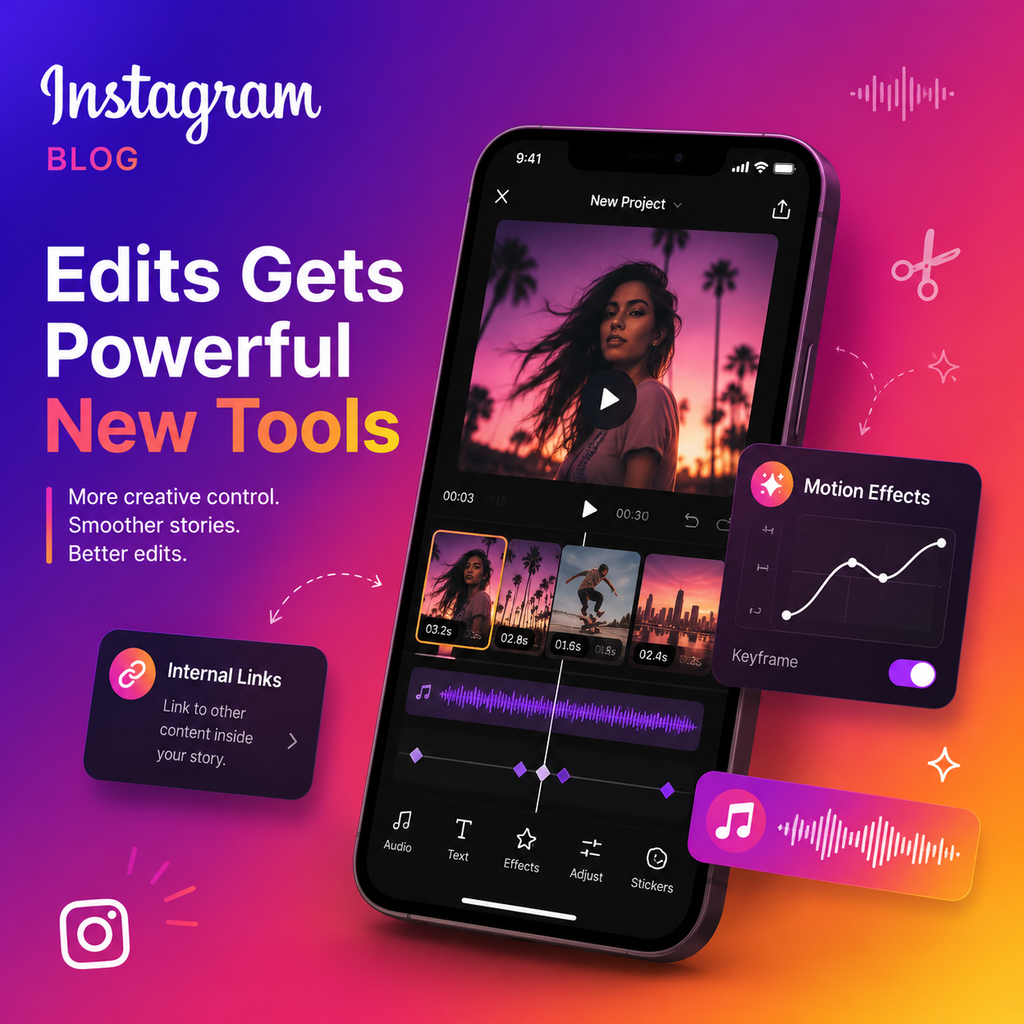
InstagramがEditsアプリをアップデート、新たなクリエイターツールを追加
最新のEditsアップデートの新機能
Instagramは、スタンドアロンのEditsアプリに一連の新たなアップデートを展開し、クリエイターに強力なネイティブ動画編集体験を提供するというミッションを強化しています。今回の変更は表面的な調整にとどまらず、ワークフローの効率化、新たなクリエイティブの可能性の解放、そしてInstagramでの編集と共有の連携強化を目的としています。以下が変更点です。
内部リンク:視聴者の流れを維持
特筆すべき追加機能の1つは、アプリ内で編集した動画にInstagramの内部リンクを直接埋め込める機能です。クリエイターは他のリールやInstagramプロフィールにリンクでき、そのリンクはコンテンツ公開時にシームレスに引き継がれます。外部URLはまだサポートされていませんが、この機能は、プラットフォーム体験を損なうことなく、関連コンテンツ、シリーズの続編、コラボレーターページへ視聴者を誘導する実用的な方法を提供します。これは、ナラティブの流れを構築し、より深いエンゲージメントを促進するための賢い動きです。
新しいビジュアルエフェクト:トレンドに合わせたアプリ内エフェクト
今回のアップデートでは、Editsのビジュアルツールキットも拡張され、エディター内で直接適用できる新しい動画エフェクトが追加されました。これには、スタイライズされた歪みやモーションベースのエフェクトが含まれており、現在のショート動画のトレンド(グリッチ風トランジション、微妙なズーム、キネティックテキストアニメーションなど)に沿ったものとなっています。これらをネイティブで提供することで、Instagramはクリエイターのサードパーティソフトウェアへの依存を減らし、制作パイプライン全体を自社エコシステム内に維持します。これらの追加は、以前のアップデートで徐々に増やされてきたフォント、トランジション、オーディオツールの範囲をさらに拡充するものです。
動きに合わせたエフェクト
特にモーションエフェクトが改良されました。新しいカメラシェイクやブラーエフェクトはフレーム単位で適用でき、エディターはドラマチックな瞬間を精密にコントロールできます。カラーグレーディングプリセットを適用できるリスタイル機能も、よりカスタマイズ可能なオプションが追加され強化されました。ビンテージフィルム風のルックからハイパーサチュレーションの美学まで、ツールはよりニュアンス豊かになっています。
週間コンテンツプロンプト:自動でインスピレーション
Instagramは、Editsアプリ内に週間コンテンツプロンプトを導入しました。これらのパーソナライズされた動画アイデアは、ユーザーの過去のアクティビティ(最近使用したエフェクトやオーディオトラックなど)に基づいて生成されます。目的は、定期的に投稿するクリエイターが、毎回白紙のタイムラインを見つめることなく一貫性を維持できるようにすることです。これは、習慣的な創作への微妙ながら強力な後押しであり、アプリを単なる編集ユーティリティではなく、継続的なインスピレーションの源に変えます。
改善されたストーリーボードとクリップ管理
複雑なプロジェクトの管理がより簡単になりました。今回のアップデートでは、ストーリーボードとクリップ管理システムが刷新され、ユーザーは1つのプロジェクト内で複数のテイクの動画とオーディオを扱えるようになりました。これにより、異なるパフォーマンスを比較したり、クリップを出入りさせたり、編集インターフェースを離れたりプロジェクト全体を複製することなくタイミングを微調整できます。これは、特にコンテンツを何度も繰り返し編集するクリエイターにとって、時間を節約し摩擦を減らすワークフローのアップグレードです。
音声とオーディオの改良
舞台裏では、Instagramはオーディオツールも強化しました。ボイスレコーディングは、ノイズリダクションを内蔵したよりクリーンなインターフェースを備え、自動キャプションエンジンはより多くの言語をサポートし、精度が向上しました。任意の動画ファイルから音声を抽出できるオーディオ抽出ツールは、より高速にアクセスできるよう合理化されました。これらは小さな改善に見えるかもしれませんが、ナレーションやサウンドデザインに依存するクリエイターにとっては、大きな違いをもたらします。
キーフレームコントロールとオーディオクリーンアップ
パワーユーザーは、ローンチ以降に追加されたより精密なキーフレームコントロールを評価するでしょう。スケール、位置、回転をより細かくアニメーション化できるようになり、別のアプリにエクスポートすることなく高度なアニメーション技法が可能になりました。オーディオクリーンアップ機能も改善され、背景のハム音を低減し、クリップ間の音量レベルを均一にするツールが追加されました。これらの機能は、特にリールに重点を置くクリエイターにとって、Editsをデスクトップグレードのエディターの真剣な代替品として位置づけるというInstagramの意図を示しています。
クリエイターにとっての意味
最新のEditsアップデートは、単なる新機能のリストではなく、意図の表明です。Instagramは、最初のドラフトから最終公開までクリエイターを自社エコシステム内に留めることに明確に賭けています。内部リンク、スマートなプロンプト、プロフェッショナルグレードのタイムラインコントロールを追加することで、アプリはCapCutのようなサードパーティ製エディターとの差を徐々に縮めています。クリエイターにとっては、アプリの切り替えが減り、ターンアラウンドが速くなり、プラットフォームから離れることなく実験する方法が増えることを意味します。Editsが進化を続けるにつれ、それは単なる編集ツールではなく、Instagram世代のためのクリエイティブコマンドセンターになりつつあります。