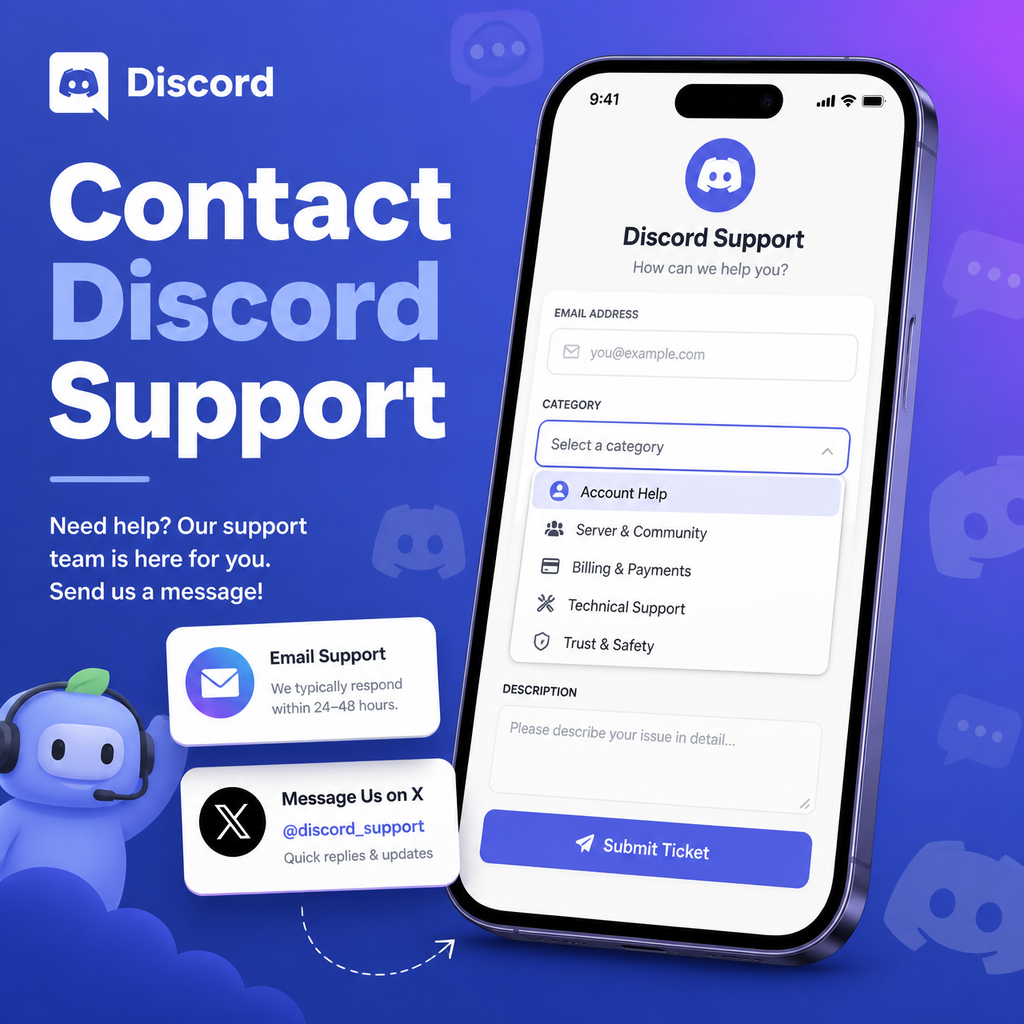
Comment contacter Discord et soumettre une demande d'aide ou de support en tant qu'utilisateur ou développeur
Comment contacter le support Discord : les canaux officiels
Que vous soyez un utilisateur occasionnel confronté à un problème de connexion ou un développeur déboguant un appel API, savoir comment joindre l'équipe de support de Discord est crucial. Discord propose plusieurs canaux officiels, chacun adapté à des besoins différents. Ce guide vous présente les moyens les plus efficaces pour obtenir de l'aide, du portail d'assistance convivial aux e-mails directs et aux réseaux sociaux.
L'écosystème de support de Discord est conçu pour être accessible, mais il peut être déroutant si vous ne savez pas par où commencer. Nous allons détailler les options, expliquer quand utiliser chacune d'elles et partager des conseils pour obtenir des réponses plus rapides. À la fin, vous saurez exactement comment soumettre une demande qui sera remarquée.
Soumettre une demande via le portail d'assistance Discord
La méthode principale et la plus fiable est le portail d'assistance Discord. C'est ici que vous déposerez un ticket pour presque tout problème, de la récupération de compte aux questions de facturation. Le portail est conçu pour acheminer votre demande à l'équipe appropriée, garantissant qu'elle atteigne les bons experts.
Guide étape par étape pour déposer un ticket
Pour soumettre une demande, rendez-vous sur le portail et cliquez sur « Soumettre une demande ». Vous devrez remplir un formulaire avec votre adresse e-mail, sélectionner une catégorie (comme « Aide et support » ou « API ») et décrire votre problème en détail. Soyez aussi précis que possible—incluez des captures d'écran, des messages d'erreur et les étapes que vous avez déjà essayées. Cela aide l'équipe de support à diagnostiquer votre problème plus rapidement.
À quoi s'attendre après la soumission
Une fois votre demande soumise, vous recevrez un e-mail de confirmation avec un numéro de ticket. Les délais de réponse varient, mais la plupart des tickets sont traités en quelques jours. Si vous devez ajouter des informations, répondez directement à cet e-mail pour garder la conversation dans un seul fil. Évitez de soumettre plusieurs tickets pour le même problème, car cela peut retarder la résolution.
Contacter Discord par e-mail
Pour certaines questions, en particulier celles impliquant des questions juridiques ou d'entreprise, vous préférerez peut-être l'e-mail. Discord répertorie deux adresses officielles : support@discord.com pour le support général et legal@discord.com (pas dans les données officielles, mais courante). Utilisez-les pour les problèmes qui ne correspondent pas au portail, comme les demandes de presse ou les demandes de partenariat.
L'e-mail permet-il d'obtenir des réponses plus rapides ?
Pas nécessairement. Les e-mails sont généralement surveillés par la même équipe qui gère les tickets du portail, donc les délais de réponse sont similaires. Cependant, pour les questions juridiques urgentes, l'e-mail pourrait être votre meilleure option. Incluez toujours votre nom d'utilisateur Discord et les détails pertinents pour accélérer les choses.
Contacter Discord sur X (Twitter)
Discord maintient une présence active sur X avec deux comptes clés : @discord (actualités générales) et @discord_support (dédié à l'aide aux utilisateurs). C'est une excellente option pour les questions rapides ou pour signaler une panne généralisée. Vous pouvez leur envoyer un message direct ou les mentionner dans une publication avec une description de votre problème.
Pour quoi @discord_support peut-il aider ?
L'équipe de support sur X peut aider avec le dépannage de base, les problèmes de connexion, la vérification des e-mails et les commentaires généraux. Ils partagent également des mises à jour de lancement et des annonces de fonctionnalités. Cependant, notez qu'ils ne peuvent pas traiter les tickets existants—si vous avez déjà soumis une demande via le portail, vous devrez attendre ce processus.
Meilleures pratiques pour utiliser X
Lorsque vous contactez @discord_support, gardez votre message concis et incluez une capture d'écran si possible. Évitez de partager des informations personnelles sensibles publiquement ; attendez plutôt qu'ils demandent des détails via un message direct. Bien que ce canal soit plus rapide pour les demandes générales, il ne remplace pas le système de tickets officiel.
Contacter Discord pour les développeurs
Les développeurs disposent de ressources spécifiques pour obtenir de l'aide avec l'API Discord et les bots. Le canal principal est le portail d'assistance—lorsque vous déposez un ticket, choisissez la catégorie « API ». Cela garantit que votre demande va à l'équipe de support développeur, qui a une expertise en code et en intégrations.
Documentation développeur et communauté
Avant de contacter le support, consultez la documentation développeur Discord complète. Vous y trouverez probablement des réponses aux questions courantes. De plus, le serveur Discord Developers est une communauté où vous pouvez demander de l'aide à d'autres développeurs. De nombreux problèmes y sont résolus rapidement.
Soumettre un ticket développeur
Lorsque vous soumettez un ticket développeur, fournissez l'ID client de votre bot, les codes d'erreur et le point de terminaison spécifique que vous utilisez. Plus vous donnez de détails techniques, mieux l'équipe de support peut vous aider. C'est particulièrement important pour les problèmes de limite de débit ou les bugs API.
Cas particuliers : informations légales et Impressum
Si vous devez contacter Discord pour des raisons légales, telles que des demandes de retrait DMCA ou des demandes de confidentialité, utilisez les coordonnées légales. Discord a des bureaux aux États-Unis et aux Pays-Bas, et leurs informations officielles sur l'entreprise incluent des adresses et des numéros de téléphone. Par exemple, Discord Inc. est situé au 444 De Haro Street, Suite 200, San Francisco, CA 94107, avec le téléphone 888-594-0085.
Quand utiliser le téléphone ou le courrier
Le téléphone et le courrier postal sont rarement nécessaires pour les problèmes de support typiques, mais ils peuvent être utiles pour les documents juridiques formels. Adressez toujours la correspondance légale au bureau régional approprié. Gardez à l'esprit que le support par e-mail est généralement préféré pour l'efficacité, mais certaines situations nécessitent une correspondance physique.
Faire ressortir votre demande de support
Pour obtenir une aide plus rapide et plus efficace, rédigez votre demande avec soin. Commencez par un objet clair qui résume le problème. Dans le corps, incluez votre tag Discord, l'appareil/système d'exploitation que vous utilisez et une reproduction étape par étape du problème. Les captures d'écran valent mille mots, alors joignez-les chaque fois que possible.
De plus, soyez poli et patient. L'équipe de support traite des milliers de demandes chaque jour, et un ton respectueux va loin. Si vous n'avez pas de réponse dans la semaine, envisagez de faire un suivi sur le même ticket plutôt que d'en créer un nouveau.
Rester informé des annonces officielles de Discord
Parfois, vous n'avez pas besoin de contacter le support—la réponse est déjà là. Discord publie régulièrement des mises à jour sur son centre d'assistance et son compte X. Vérifier ces sources en premier peut vous faire gagner du temps. Par exemple, s'il y a une panne connue, Discord publiera une mise à jour de statut, et vous pourrez éviter de déposer un ticket.
En utilisant le bon canal pour votre problème et en fournissant des informations complètes, vous obtiendrez l'aide dont vous avez besoin sans frustration. Que vous soyez un utilisateur ou un développeur, le système de support de Discord vous couvre—il suffit de savoir comment l'utiliser efficacement.